By KeyXplore · Last updated: November 9, 2026 · 7 min read
Quick facts: Odoo 19.0 adds an External JSON-2 API at
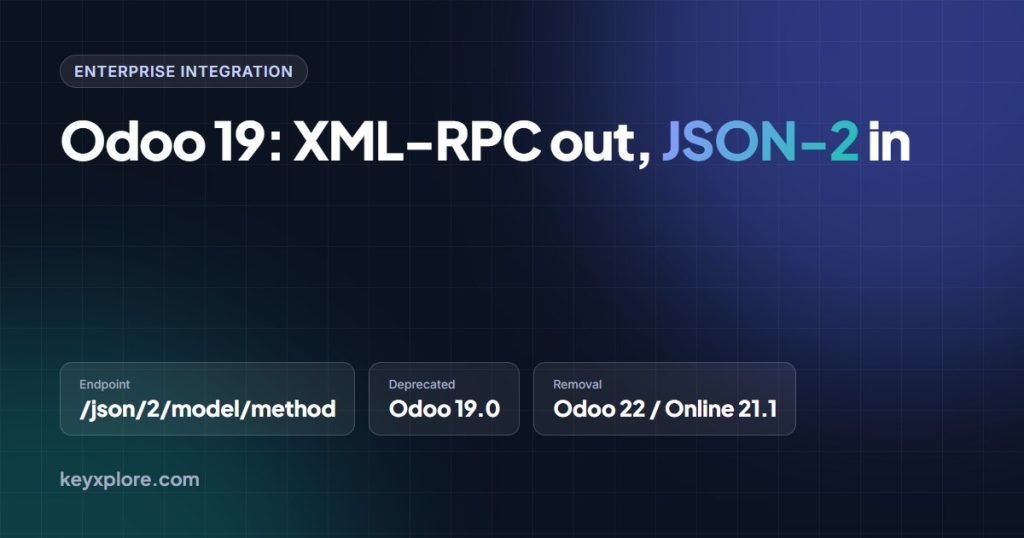
POST /json/2/<model>/<method>, authenticated with a bearer API key. The XML-RPC and JSON-RPC endpoints (/xmlrpc,/xmlrpc/2,/jsonrpc) are deprecated from 19.0 and, per Odoo’s documentation, scheduled for removal in Odoo 22 (fall 2028) and Odoo Online 21.1 (winter 2027). API keys last at most three months. On Odoo Online, external API access needs the Custom plan.
If you have scripts, middleware or an iPaaS connector talking to Odoo over XML-RPC, Odoo 19 is where that approach starts to expire. Odoo has shipped a replacement, the External JSON-2 API, and marked the three legacy RPC services deprecated. Nothing breaks today, but each old call now logs a warning and the removal dates are on the calendar.
This guide covers what changed, the documented timeline, a before-and-after search_read example, and a migration checklist with pitfalls. It is based on the Odoo 19.0 developer documentation and its source in the odoo/documentation GitHub repository.
What changed in Odoo 19
| XML-RPC / JSON-RPC (legacy) | JSON-2 (Odoo 19+) | |
|---|---|---|
| Endpoint | /xmlrpc/2/common, /xmlrpc/2/object, /jsonrpc | POST /json/2/<model>/<method> |
| Authentication | Login, password/API key and a uid from authenticate, on every call | Authorization: bearer <API key> header; no login step |
| Arguments | Positional list via execute_kw | Named JSON keys matching the Python signature, plus ids and optional context |
| Response | RPC envelope with result or fault | Plain JSON; HTTP 200 on success, 4xx/5xx with a JSON error object |
| Version check | common.version() | GET /web/version |
| Status | Deprecated in 19.0 | Added in 19.0 |
The reason is simplicity. XML-RPC dates from 1998 and has no named arguments, which is why wrappers like execute_kw existed. JSON-2 is one HTTP POST per method, with native JSON types, standard status codes and standard bearer auth, mapped directly onto the ORM method.
Deprecation timeline, as documented
- Odoo 19.0: JSON-2 added; XML-RPC and JSON-RPC marked deprecated. Odoo 19 logs a warning on each legacy call.
- Odoo Online 21.1 (winter 2027): scheduled removal of
/xmlrpc,/xmlrpc/2and/jsonrpcon Odoo Online. - Odoo 22 (fall 2028): scheduled removal for on-premise and Odoo.sh.
Some blog posts and conference summaries say Odoo 20 or Online 19.1. The current 19.0 documentation (external_rpc_api.rst) says Odoo 22 and Online 21.1. Treat the documentation as authoritative and re-check it before each upgrade. Custom controllers declared with @route(type='jsonrpc') (formerly type='json') are not covered by this deprecation.
Before and after: calling search_read
The legacy way needs two proxies and an authentication round-trip, with the domain in a positional list and options in a dict.
# Odoo 18 and earlier: XML-RPC
import xmlrpc.client

url, db, user, pwd = "https://mycompany.odoo.com", "mycompany", "admin", "API_KEY"
common = xmlrpc.client.ServerProxy(f"{url}/xmlrpc/2/common")
uid = common.authenticate(db, user, pwd, {})
models = xmlrpc.client.ServerProxy(f"{url}/xmlrpc/2/object")
partners = models.execute_kw(
    db, uid, pwd, "res.partner", "search_read",
    [[["is_company", "=", True]]],
    {"fields": ["name", "country_id"], "limit": 5},
)
With JSON-2 the same query is one POST and every argument is a named key. Each call runs in its own database transaction.
# Odoo 19: JSON-2
import requests

resp = requests.post(
    "https://mycompany.odoo.com/json/2/res.partner/search_read",
    headers={
        "Authorization": "bearer API_KEY",
        "Content-Type": "application/json; charset=utf-8",
        # "X-Odoo-Database": "mycompany",  # only on multi-database hosts
    },
    json={
        "context": {"lang": "en_US"},
        "domain": [["is_company", "=", True]],
        "fields": ["name", "country_id"],
        "limit": 5,
    },
)
resp.raise_for_status()
partners = resp.json()   # plain list of dicts
# on failure: 4xx/5xx with {"name": "odoo.exceptions.AccessError", "message": ..., "arguments": ..., "context": ..., "debug": ...}
API keys and access
- Manual key: Preferences, then Account Security, then New API Key. Maximum duration is three months; Odoo suggests one day for interactive use. The key is shown once.
- Programmatic keys: call
res.users.apikeys/generatewithkey,scope,nameand an ISO 8601expiration_date; revoke withres.users.apikeys/revoke. Only Settings users may manage keys unlessbase.enable_programmatic_api_keysis set; default limit 10 keys per user. - No uid: if you need the current user’s id, call
res.users/context_getwith no ids. - Access rights: the key inherits the user’s groups and record rules. Use a dedicated integration user with minimal rights.
- Odoo Online: the documentation states the external API is available only on the Custom plan, not One App Free or Standard. Budget for this before promising an integration.
Migration checklist
- Inventory every caller: scripts, ETL jobs, iPaaS recipes, PLM or MES bridges, mobile apps. Grep for
xmlrpc,jsonrpcandexecute_kw, and watch Odoo 19 logs for the deprecation warning. - Create an integration user and a short-lived key in a secrets manager; automate rotation, since keys expire within three months.
- Rewrite calls: drop
authenticate, convert positional arguments to named ones, put record ids inids, language and company incontext. - Replace
common.version()withGET /web/versionfor health checks; handle errors by HTTP status and the JSONnamefield. - Open
/docon your database to see the models, fields and methods actually exposed. - If you must also support Odoo 17 or 18, keep both transports behind a small adapter; JSON-2 exists only from 19.0 (Online 18.4).
- Test against a staging copy, compare result sets field by field, then cut over.
ERP-to-PLM or MES links hurt most here because the field mappings are already fragile. Read why ERP-PLM integration is harder than it looks before refactoring transport and mapping layers at the same time.
Pitfalls
- Positional arguments: a bare domain list fails; JSON-2 needs
"domain": [...]. - Wrong auth scheme: the value is
bearer <key>; Basic auth or a bare key is rejected. - Multi-database hosts: without
X-Odoo-Databasethe server cannot pick a database. - Expired keys: a cron job will silently die one quarter after go-live unless rotation is automated.
- Third-party connectors that still use
/xmlrpc/2work on 19 but not on the removal versions; check the vendor roadmap.
Frequently asked questions
Does XML-RPC stop working in Odoo 19?
No. It is deprecated and logs a warning. Removal is scheduled for Odoo 22 (fall 2028) and Odoo Online 21.1 (winter 2027).
Is JSON-2 the same as JSON-RPC?
No. JSON-RPC wraps calls in an envelope at /jsonrpc and is itself deprecated. JSON-2 is a plain POST to /json/2/<model>/<method> with named parameters and a plain JSON response.
Can I keep using a username and password?
Not with JSON-2. It accepts only API keys in the Authorization header.
Which Odoo Online plan do I need?
Per the 19.0 documentation, the Custom plan only.
Dates and rules can change. Always confirm on the official site: odoo.com/documentation/19.0 External JSON-2 API.