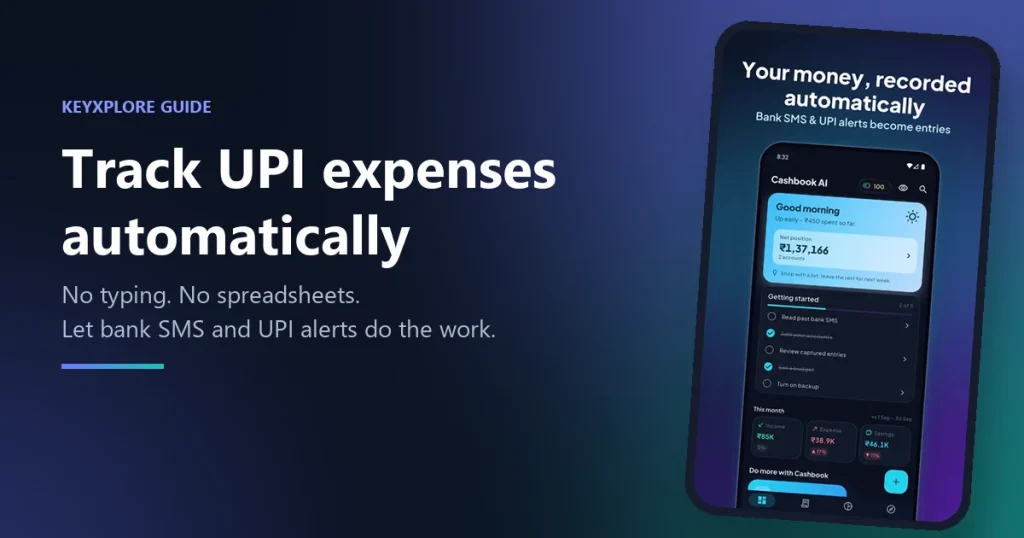
Chai in the morning. Petrol on the way to work. Groceries, a Swiggy order, rent on the 1st. Almost all of it goes through UPI now, and it goes quietly — a tap here, a scan there. Then somewhere around the 20th you open your banking app, see the balance and think: where did it all go?
Your bank does record every payment. But nobody wants to scroll through 120 lines of things like UPI/4839201/PAYTM/VENDOR to find out.
The standard advice is “write down every expense.” We’ve all tried it. Most of us give up within two weeks. So let’s look at why that happens, and at three ways to track your UPI spending that don’t depend on you remembering to type anything.
Why noting down expenses never lasts
It isn’t a discipline problem. It’s a timing problem.
You pay at a shop counter while juggling bags, or while walking, or mid-conversation. “I’ll note it later” turns into never. And the payments you skip are exactly the ones that hurt: ₹20 here, ₹50 there. They feel too small to bother with, yet together they’re often the biggest leak in the month.
Then there’s the mix. Some spending is UPI, some is cash, some is on a credit card. One notebook or one spreadsheet rarely catches all of it, and a half-complete record isn’t much use.
The way out is to stop relying on memory and use the data you’re already getting.
Method 1: Go through your bank statement once a month
Every bank lets you download your statement as a PDF or CSV file. Here’s the quick version:
- Download last month’s statement from your banking app or net banking.
- Open it in Excel or Google Sheets and add a Category column.
- Tag each row — Food, Transport, Bills, Shopping, Rent, Other.
- Total each category with a pivot table or a simple
SUMIF.
It works, and it’s free. But it’s slow, half the UPI descriptions are hard to decode, and you only find out you overspent after the month is already over.
Method 2: Check your bank app’s spending insights
Many banking and UPI apps now show a basic category breakdown on their own. There’s nothing to set up, which is nice.
The catch: each app only sees its own account. If you have two bank accounts and a credit card, you get three partial pictures and still no complete one.
Method 3: Let an app read your bank SMS and UPI alerts
Every time you pay, your bank already sends you something like this:
Rs. 250 debited from A/c XX1234 on 03-11-26 to VENDOR via UPI.
That one message has the amount, the date, the account and who you paid. An automatic expense tracker reads these alerts on your phone and turns each one into an entry — so the record builds itself while you get on with your day.
This is the idea behind Cashbook AI, an Android app we built at KeyXplore. With your permission, it picks up bank and card SMS and payment notifications from apps like Google Pay, PhonePe and Paytm, and records each expense for you. It can also import your past bank SMS once, so your record starts complete instead of from today. When it can’t tell what a payment was for, it simply asks in the notification.
Because every account and card lands in one place, you finally get the whole picture instead of three partial ones.
The honest downside: it’s Android only. And any app that reads your SMS should be very clear about what it does with them — which brings us to the next point.
What to check before you trust an expense tracker
Your payment messages are personal. Before you hand them to any app, look for these:
- Where your data lives. Does the app explain what it reads, and whether anything leaves your phone? (In Cashbook AI, SMS and notification text is read on the phone and never uploaded, and your cash book is kept in an encrypted database on the device.)
- Sensible permissions. Reading SMS is a sensitive permission. Only give it to apps that clearly need it and tell you why.
- Easy corrections. Auto-detection gets things wrong now and then. Fixing a category or an amount should take a couple of taps, not a hunt through menus.
- More than a list. Budgets, reports and bill splitting are what turn a pile of entries into something you can act on.
Bonus: shared costs and money you’re owed
UPI makes it ridiculously easy to pay for a friend’s lunch or book a group trip — and just as easy to forget about it. Two small habits fix most of this:
- Split the bill the same day, while everyone still remembers who had what.
- Keep an udhaar khata — a simple record of who owes you and whom you owe. It saves money and a lot of awkward “hey, about that…” messages.
Cashbook AI has both built in. In a split group, each friend can even get a private link showing their balance with a UPI pay button, and they don’t need to install anything.
A 15-minute money check, once a month
Once your spending records itself, you don’t need a big budgeting ritual. Fifteen minutes is plenty:
- Look at your top three categories. Where did most of the money actually go?
- Find one leak. A subscription you forgot about, daily delivery fees, small impulse buys.
- Set one budget. Just one category for next month. One change you stick with beats five you drop by the 10th.
- Settle up. Pay back what you owe, and nudge anyone who owes you.
The bottom line
Tracking money isn’t really about willpower. It’s about friction. If logging an expense takes effort, you’ll stop. If it happens on its own, all that’s left is to look at the numbers and decide.
If you’re on Android and want to try the automatic route, Cashbook AI is free on Google Play.
Got a question about tracking your expenses? Drop us a message.