By KeyXplore · Last updated: November 9, 2026 · 6 min read
Quick facts
• NPCI circular NPCI/UPI/OC-226/2025-26 (7 October 2025) allowed your phone’s fingerprint or face unlock to approve UPI payments in place of the UPI PIN, initially up to ₹5,000 per transaction.
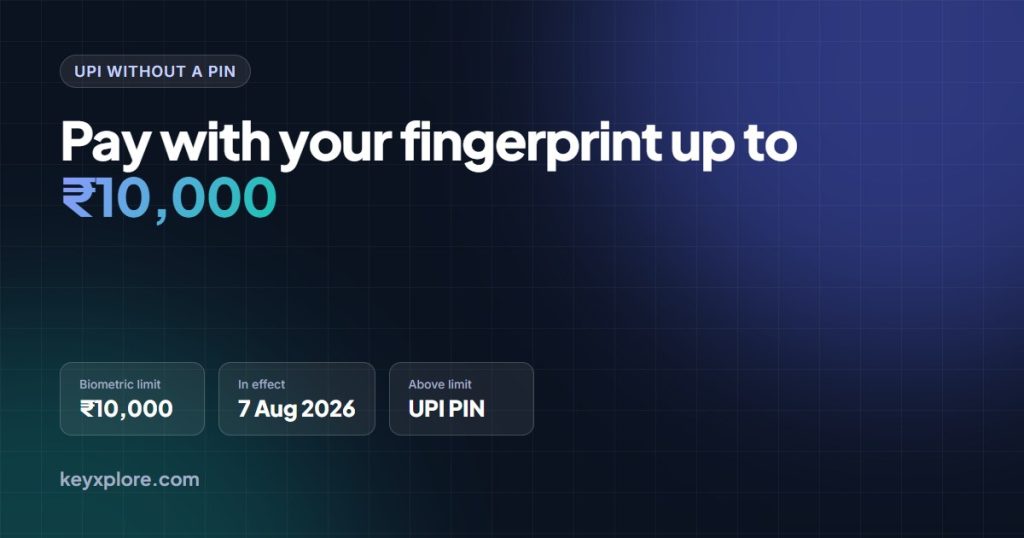
• NPCI circular OC-226A/2026-27 (3 July 2026) raised that limit to ₹10,000 per transaction from 7 August 2026.
• It is optional. Your UPI PIN keeps working, and payments above ₹10,000 still need the PIN.
• Separately, you can set or reset your UPI PIN using Aadhaar face authentication (UIDAI Face RD) instead of your debit card details.
• Biometric pay switches off automatically if you reset your UPI PIN or stop using it for a while; you must consent again to turn it back on.
You already unlock your phone with your fingerprint or face. Since late 2025, you can approve UPI payments the same way, without typing a PIN. Here is what NPCI and RBI have actually allowed, the limits, how to switch it on, and what happens if your phone is stolen.
This is general information, not financial advice. Features vary by app and bank.
What NPCI and RBI have announced
The legal basis is RBI’s Authentication Mechanisms for Digital Payment Transactions Directions, 2025 (issued 25 September 2025, in force from 1 April 2026). RBI requires two distinct factors for every domestic digital payment but does not insist one must be an OTP or PIN. “Something you are”, a biometric, counts.
NPCI then issued circular OC-226 on 7 October 2025, “Introduction of Additional Authentication Methods in UPI”, to all issuer banks, PSP banks and UPI apps. It introduced two things:
- On-device biometric authentication (fingerprint or face, verified by your phone) as an optional alternative to the UPI PIN when paying.
- UIDAI face authentication as an option to set or reset your UPI PIN, in place of Aadhaar OTP or debit card details.
On 3 July 2026 NPCI issued OC-226A, raising the biometric limit from ₹5,000 to ₹10,000 per transaction from 7 August 2026, and told banks and apps to tell customers. All other checks in the original circular stay in force.
Limits and conditions
| Item | Rule |
|---|---|
| Maximum per transaction with biometric | ₹10,000 (from 7 Aug 2026; was ₹5,000) |
| Above ₹10,000 | UPI PIN required |
| Your overall UPI limits | Unchanged; bank and app daily limits still apply |
| Opt-in | Yes, you must consent in the app, per bank account |
| Device | Phone must have fingerprint/face enrolled and support secure device binding |
| After a UPI PIN reset | Biometric pay is deactivated; fresh consent needed |
| After long inactivity | Deactivated or re-consent required |
Do not confuse this with UPI Lite, which allows small PIN-less payments from a separate balance. Biometric pay debits your normal bank account; it just replaces the PIN step.
Which apps and banks support it
Support depends on both your UPI app and your bank, because the bank must verify the biometric-signed request. As of November 2026:
- PhonePe announced the feature on 19 February 2026 for Android (fingerprint and face) and said iOS would follow.
- Google Pay, Paytm and other apps are reported to offer it on Android. We could not verify each against an official notice, so look in the app’s payment settings for a biometric option.
- Banks: NPCI has not published a bank-wise list. If the toggle is missing for one account but present for another, your bank is the reason.
How to enable biometric UPI payments
The exact menu names differ, but the flow set out by NPCI is the same everywhere.
- Make sure fingerprint or face unlock is set up on your phone itself.
- Update your UPI app to the latest version.
- Go to Profile or Settings, then Payment settings (in PhonePe: Profile, Manage Payments, Biometric Pay).
- Turn on biometric authentication for the bank account you want.
- Confirm once with your UPI PIN and your biometric. This is a one-time setup per account.
- When you next pay up to ₹10,000, the app asks for your fingerprint or face instead of the PIN. If the sensor fails (wet finger, poor light), tap to use your PIN instead.
Is it safe?
Arguably safer than a PIN for everyday use. A PIN can be watched over your shoulder or coaxed out of you by a scam caller; a fingerprint cannot be shared on a call. The biometric is checked by your phone’s secure hardware and never sent to the app, bank or NPCI. NPCI also requires device binding and periodic key rotation, so approval only works from your registered phone.
The trade-off: anyone whose face or finger is enrolled on the phone can pay up to ₹10,000 from your account. Do not enrol a family member’s fingerprint on your UPI phone unless you are happy for them to pay from it.
What happens if your phone is stolen
- The thief cannot use biometric pay without your fingerprint or face. If the phone is locked, your money is as safe as before.
- Still act fast. Call your bank’s helpline to block UPI, and get the SIM blocked so OTPs stop reaching the handset.
- Block the IMEI at Sanchar Saathi, and report at 1930 or cybercrime.gov.in if any money moves.
- Setting up UPI on a new phone re-binds the device, so the old phone’s approval stops working. Resetting your UPI PIN also switches biometric pay off until you consent again.
Small PIN-less payments add up quickly. To see where the money goes, read our guide to tracking UPI expenses automatically.
The short version
- Biometric UPI approval is live, optional and capped at ₹10,000 per transaction since 7 August 2026.
- Turn it on per bank account in your UPI app; the PIN remains as fallback and for larger payments.
Frequently asked questions
Can I pay ₹50,000 with my fingerprint?
No. Biometric approval works up to ₹10,000 per transaction (NPCI circular OC-226A, effective 7 August 2026). Larger amounts need your UPI PIN.
Does my fingerprint go to the bank or NPCI?
No. The phone verifies the biometric locally and only passes a cryptographic confirmation. The bank never receives your fingerprint or face data.
Can I set my UPI PIN without a debit card?
Yes, if your bank and app support it. NPCI allows PIN set-up or reset through Aadhaar face authentication via the UIDAI Face RD app, followed by a bank OTP.
Dates and rules can change. Always confirm on the official site: npci.org.in.